
Development
Selection of technical tools and workflows I designed and developed as CG Supervisor and Pipeline Engineer at The Scope GmbH. All tools are built in Python, mostly with PySide/Qt interfaces, and run in production within the Maya/V-Ray pipeline for automotive CGI productions.
Python Pipeline Tools
Python scripts that automate recurring tasks in Maya — from scene validation through shading and lighting to automated quality control. The goal was to reduce manual sources of error in day-to-day production and to standardize and speed up the path from a finished scene to delivery.
Render Toolbox
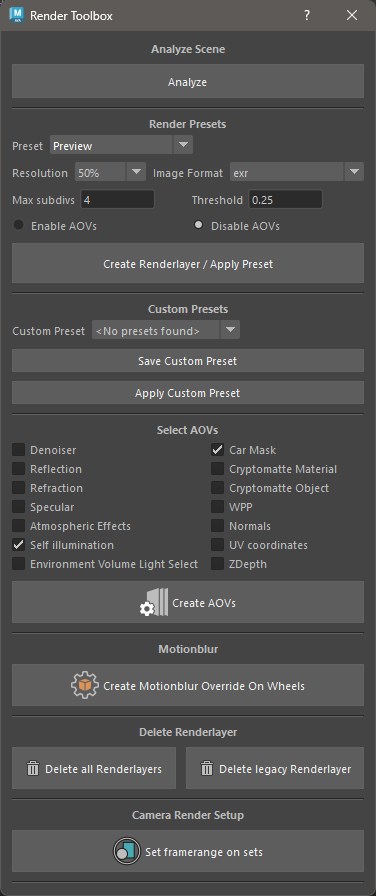
Python tool for the automated preparation of Maya scenes for rendering. It checks the scene and render settings against defined standards before a scene is approved, and applies render settings via configurable presets instead of setting them manually per shot. It also automatically creates the AOVs needed for the given scene, sets required motion-blur overrides, and generates custom render layers including an individual frame range per camera. This significantly speeds up the setup process for complex multi-camera shots and prevents faulty renders.
Shader Sync
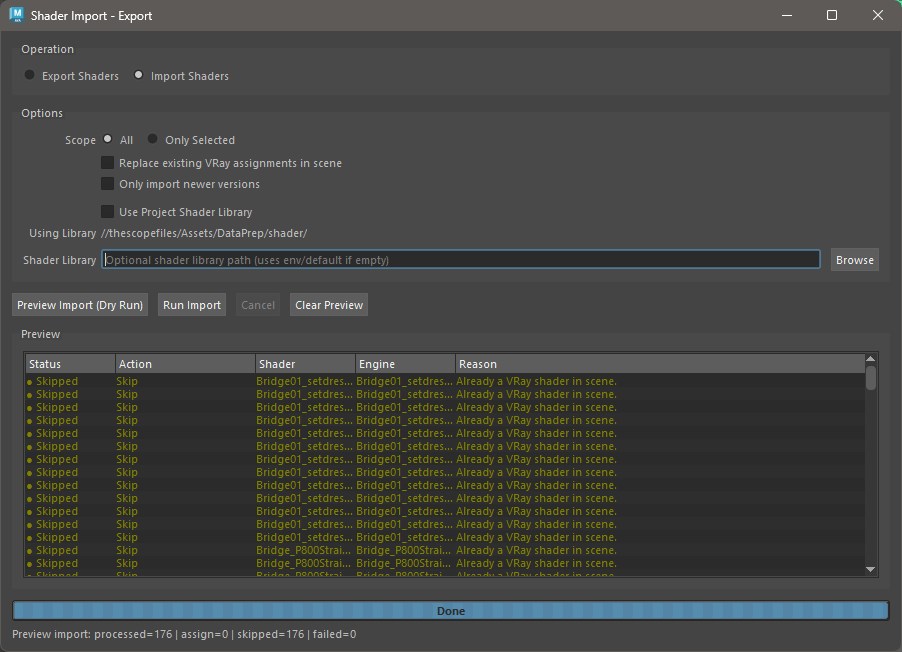
Tool for exporting and importing V-Ray shaders between Maya scenes to ensure consistent look development across shots and projects. Shaders can be stored per-project or in a studio-wide, universal library. A built-in comparison logic uses fingerprints and version states to detect which shaders have changed since the last sync and synchronizes only those, including a preview mode that shows every planned change before it is applied. This prevents unnecessary data transfer and accidental overwriting of already-approved looks.
V-Ray Scenes Tool
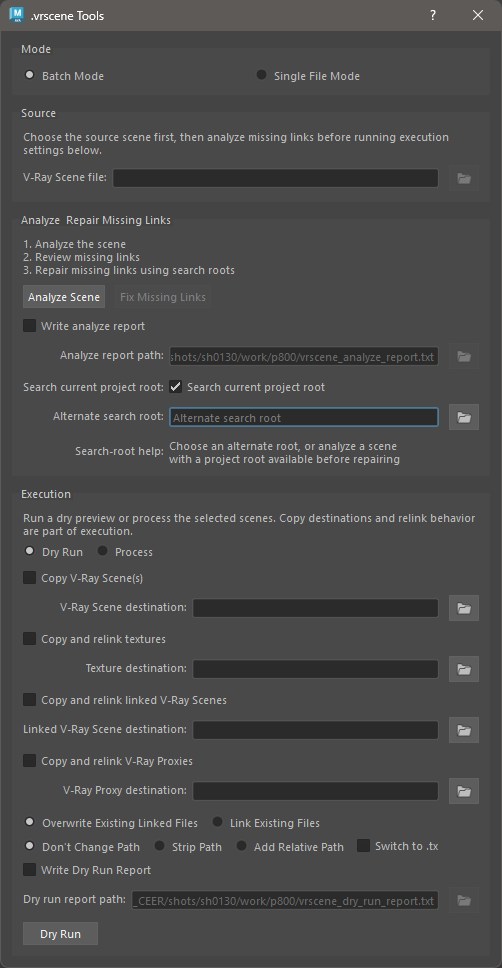
Batch tool for analyzing V-Ray scenes and all their linked assets. It checks referenced paths for dependencies that are missing or located outside the project, searches selectable folders for missing files and relinks them, and copies and rewrites the paths of the scenes together with all dependencies — either for a single .vrscene file or in batch mode for all loaded V-Ray scenes, including linked assets. A preview mode shows every planned copy and relink step in advance before anything is changed, and optional analysis or preview reports document the process for team reviews and deliveries.
Lightselect Manager
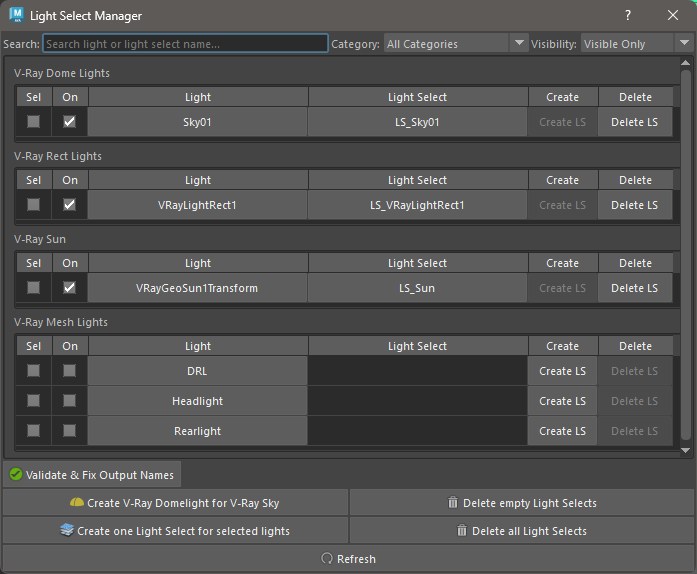
UI tool for creating targeted Light Select AOVs for compositing. Lights can also be toggled directly from the tool. A built-in check ensures that the AOV output names are correct and unique. The list of displayed lights can additionally be filtered by visibility and status (on/off), which makes working with extensive light rigs on complex product scenes considerably clearer. Instanced lights are grouped for better overview.
Save Sun
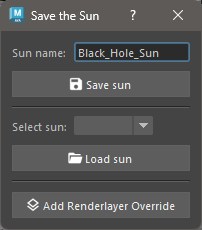
Compact tool for saving and loading V-Ray Sun attributes as a JSON preset. Lighting setups (sun position, intensity, turbidity, etc.) can be defined once and then reused reproducibly across different scenes and projects, without having to be manually reconfigured each time.
Groupie
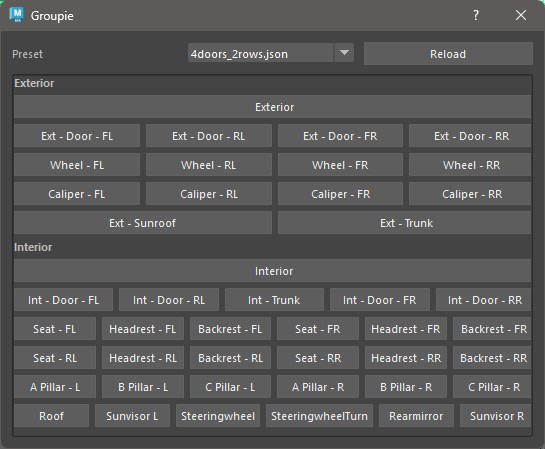
Tool for semi-automated grouping of geometry in Maya scenes. Target hierarchies are defined in JSON presets and displayed as buttons in a Qt dialog. A click creates the missing group structure as needed and automatically sorts the currently selected objects into it. Since separate presets can be stored for different projects or vehicle configurations (e.g. different door and seat-row layouts), the tool considerably reduces the manual effort of structuring complex automotive assets.
Shader Marking Menu
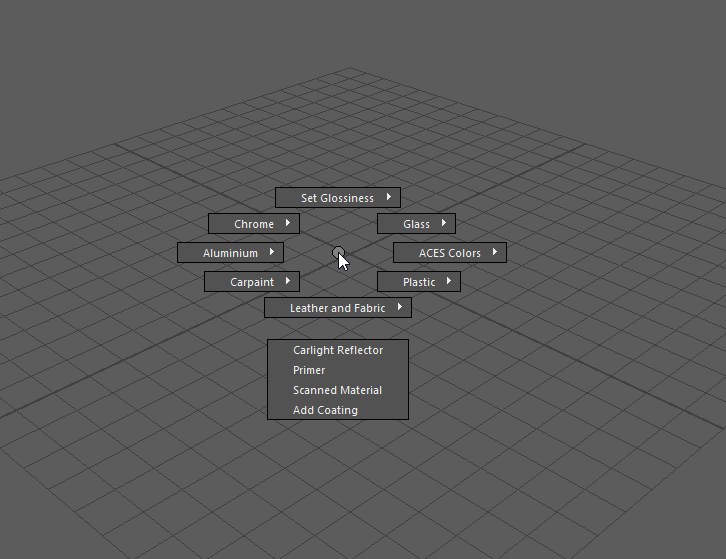
Marking menu in Maya for quickly converting Maya shaders into V-Ray materials via predefined presets — for example glass, leather, carpaint, chrome, aluminum, as well as special cases like carlight reflectors, primer shaders, or V-Ray scanned materials. For some presets, such as aluminum or chrome, the shader’s original diffuse color is preserved; others replace the shader entirely. The same menu can also set the glossiness of the shader on the selected mesh in predefined steps. Triggering it via hotkey directly in the viewport noticeably speeds up look-dev iterations in day-to-day work.
Configurator
Tool for automating the creation of paint-configurator assets from a color list. Based on an Excel sheet of official paint colors, it generates a dedicated V-Ray render layer per color/finish combination in Maya, including converting the color values from sRGB into the linear ACEScg working color space and automatically mapping solid, metallic, and frozen finishes to the matching carpaint shaders along with their clearcoat settings. A second, standalone script then assembles the rendered passes into a single, grouped Photoshop file that compositing and marketing can click through per color. The source code is available on GitHub.
VRay Shadertools
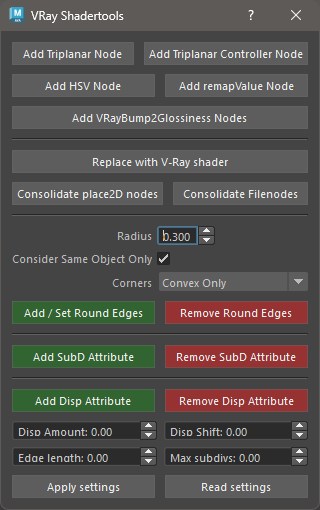
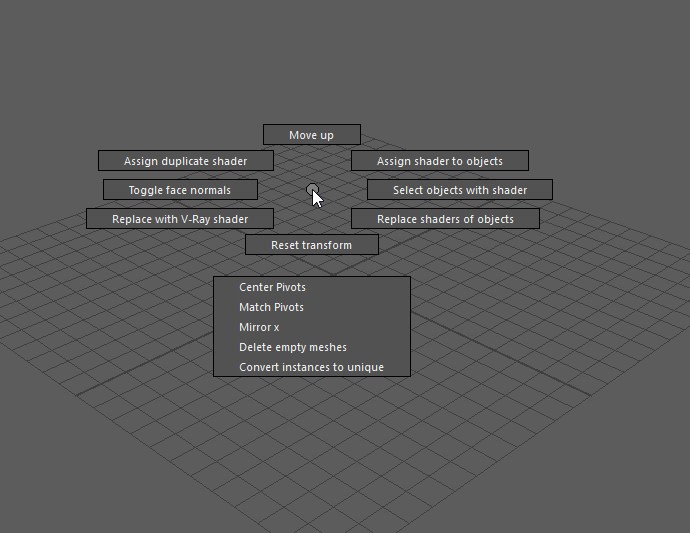
Collection of tools for speeding up shading networks in Maya. Adds HSV, RemapValue, or triplanar nodes (including a triplanar controller for centrally controlling multiple triplanar nodes) behind selected file nodes at the push of a button, and consolidates duplicate place2dTexture and file nodes into a single shared node each. It also lets you create, read, and remove subdivision and displacement attributes as well as procedural round edges directly on the shader, including saved displacement settings for quickly transferring them to other shaders.
SpecChecker
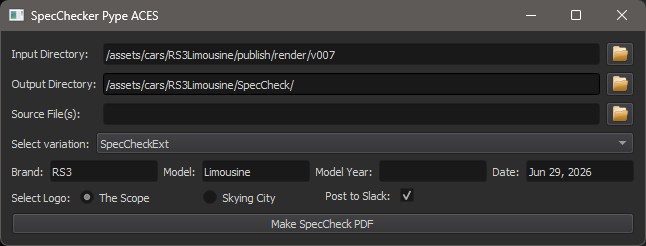
Automation tool that generates PDF documents directly from finished renders for internal and external quality control. Manufacturer and product names are automatically extracted from the renders’ file-naming convention and included in the PDF. Once created, the tool automatically uploads the finished document to the appropriate Slack channel via the Slack API. This means review hand-off runs without manually gathering and sending files.
Masks Manager
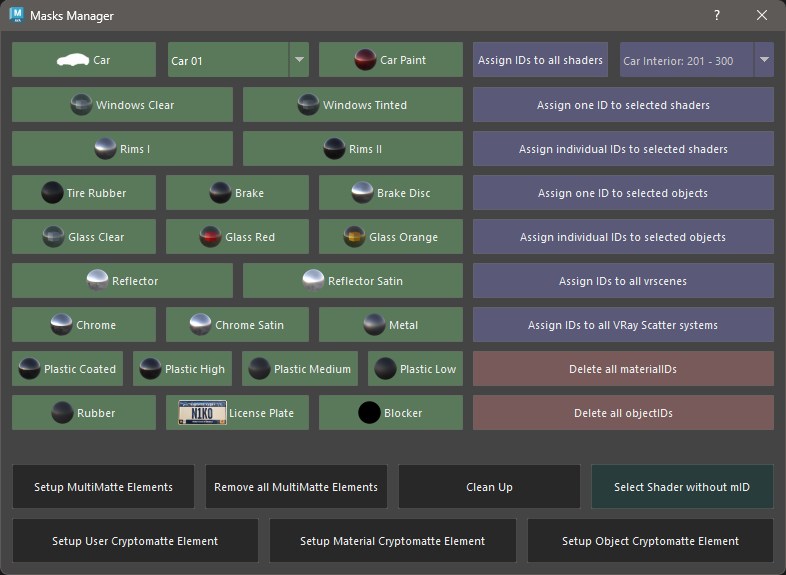
Tool for assigning object IDs and material IDs via configurable presets, which simultaneously creates the AOVs (MultiMatte render elements) needed for them automatically. Ensures consistent compositing masks across different shots and cameras without ID assignments having to be maintained manually.
USD Workflow
Design and implementation of modern, USD-based material and interchange workflows to make assets from the Maya/V-Ray pipeline usable for real-time applications such as NVIDIA Omniverse, Chaos Vantage, or Unreal Engine.
USD Audit
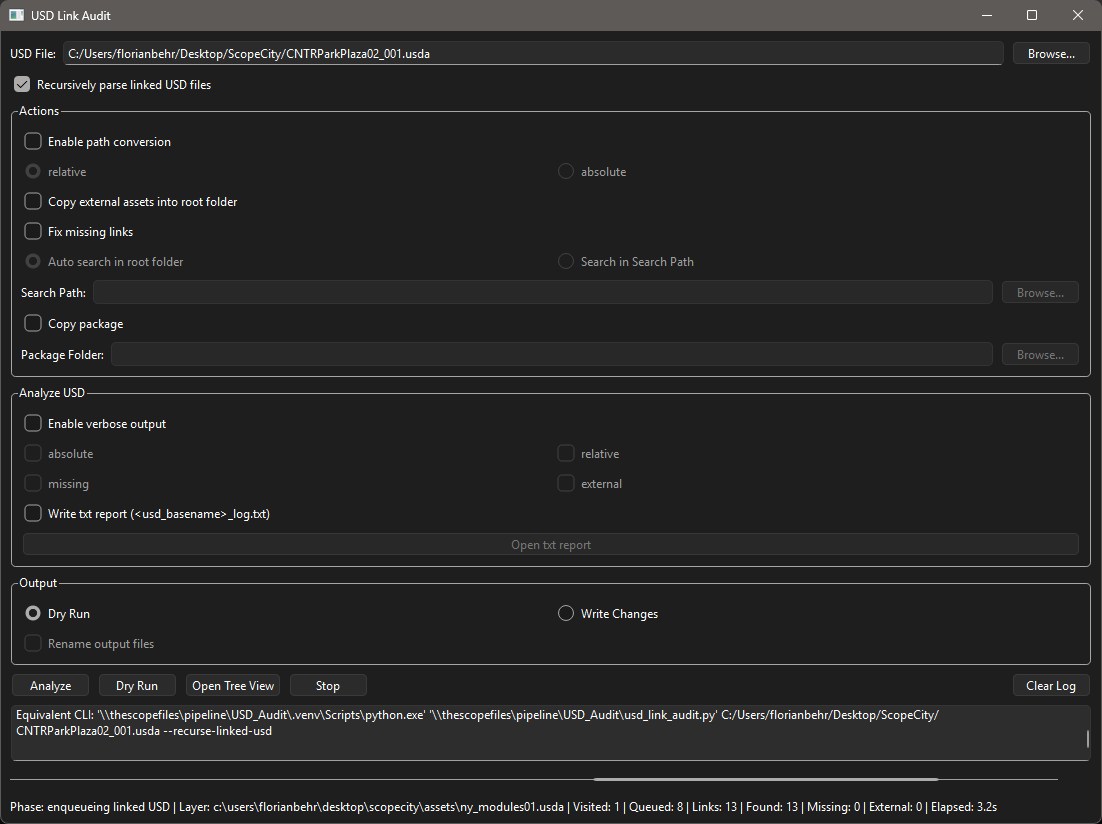
Diagnostic and repair tool for USD files. It verifies paths to referenced assets, repairs faulty or broken references, and can convert path types (relative/absolute) into each other. A USD file, together with all linked assets, can also be copied in a single step — for example for archiving or handing off to external partners. The complete USD file structure can be visualized in a tree view, which makes debugging considerably easier even for large, deeply nested stages.
USD Converter
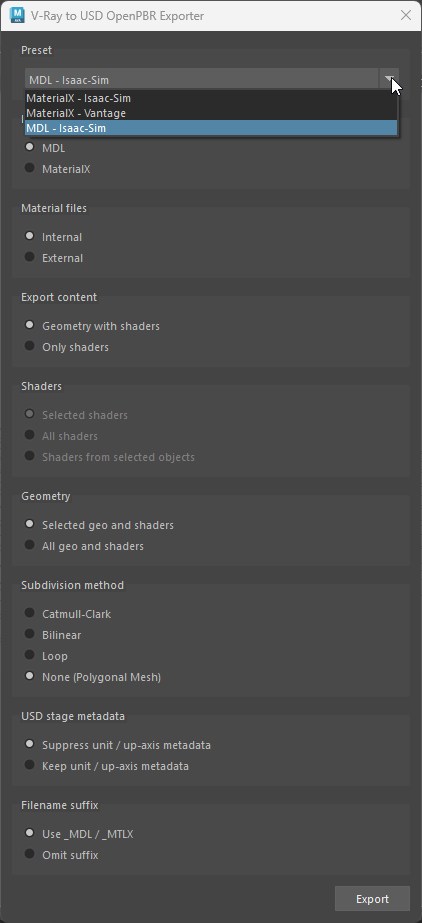
Core tool of the USD pipeline: converts Maya scenes with V-Ray materials to USD and translates the shading networks to either MDL or MaterialX for use in NVIDIA Omniverse, Chaos Vantage, or Unreal Engine. Supports both internally referenced and externally packaged shaders, automatically collecting and exporting the required textures along the way. JSON presets — for example for Isaac Sim or for MaterialX export to Chaos Vantage — allow the complete export of a scene, or of specifically selected shaders, to be automated.
Logging
Central logging infrastructure for all internal Python tools: rotating logs with structured metadata (level, user, script, hostname, ID) so that errors in tools used in production are noticed promptly instead of getting lost in local log files. In addition, usage of each tool is logged per user — this data serves as a basis for identifying training needs and for specifically supporting the rollout of new tools within the team.
Cloud Rendering
Introduced cloud rendering based on AWS Deadline with V-Ray Standalone to flexibly extend local render capacity during peak loads. This included configuring and commissioning the virtual machines under Linux, rolling out and continuously updating the render software across all cloud instances, and the ongoing management and support of the external render farm during live production.
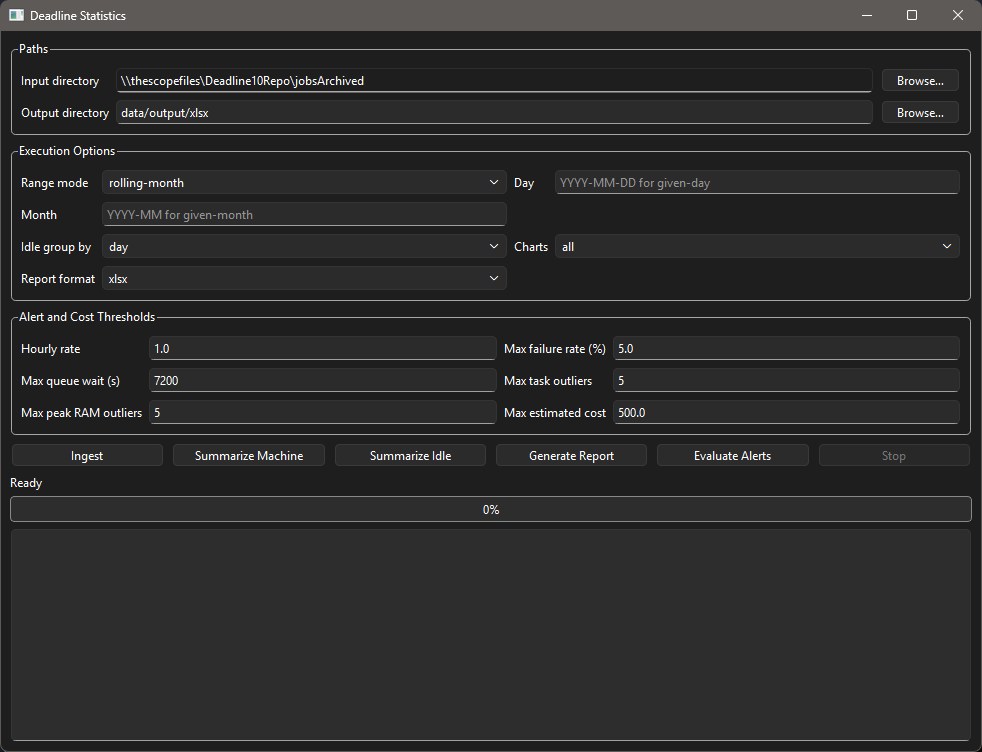
To continuously verify the actual benefit of the farm, I additionally built an analysis tool for the job data exported by Deadline. It aggregates render times per node, utilization versus idle time, queue times, and RAM and error trends, and generates HTML, PDF, XLSX, or Parquet reports — via either a CLI or a PySide interface — for wranglers, production, and facility management, including configurable alerts for error rates, wait times, or estimated costs.